
Switching an account between Demo, Live and Challenge
How to switch an MT5 account's type between Demo, Live, and Challenge from the account card's Edit dialog.
Each account card has an Edit action (pencil icon). The account type (Demo, Live, Challenge) is a label you use to tell your accounts apart on the dashboard. It does not change execution behaviour.
- Click Edit on the account card.
- Change the Account Type dropdown to Demo / Live / Challenge.
- Set the Risk% used for trade sizing.
- Save. The card relabels immediately and future trades use the updated Risk%.
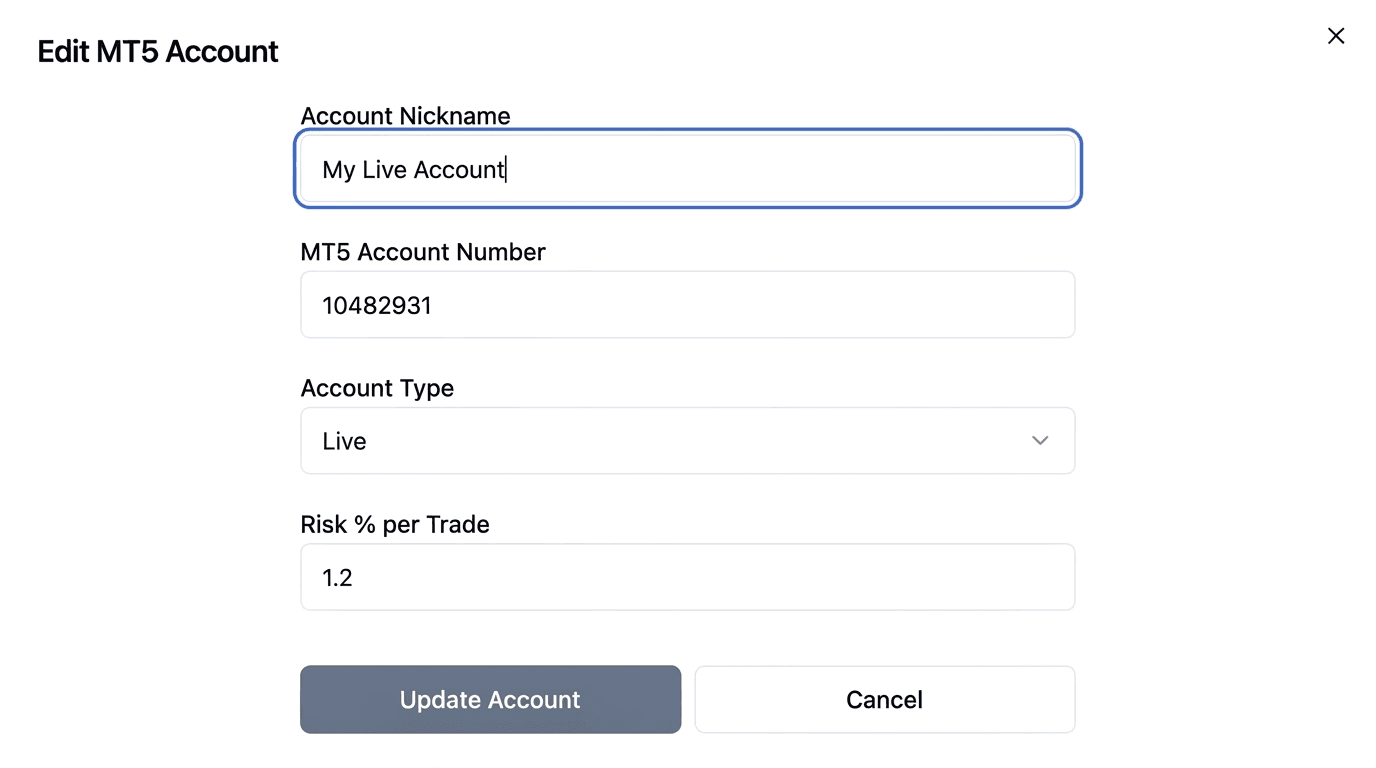
The Edit MT5 Account dialog, for changing nickname, account number, type, and Risk % per Trade.
What the type actually changes
Nothing in how trades are executed. The type is stored and rendered as a badge on the account card and in the trading-window account list, and that is the extent of it.
No routing, sizing, or risk decision reads it. Signals are matched to accounts by connection state, auto-trade state and trading windows, never by type. Analytics reports per account number rather than grouping by type.
Use it as a label so a challenge account is obvious at a glance next to a funded one. Do not rely on it to change behaviour, because it does not.
What you can edit
| Field | Notes |
|---|---|
| Account Nickname | Required |
| MT5 Account Number | Required. Non-digits are stripped as you type |
| Account Type | Demo, Live or Challenge |
| Risk % per Trade | Used for lot sizing on every future trade |
Risk % here accepts 0.1 to 10. The Add account form on the Trading page allows up to 100, so the two forms do not agree; treat the edit dialog's range as the intended one. The EA caps risk at Max risk per trade, set from the account card's Trading Inputs panel rather than an EA input, regardless of what is saved here — so a high value does not translate into a correspondingly large position. See Setting Trading Inputs from the dashboard for the difference between the two.
Two side effects of saving
Saving this dialog does slightly more than it appears to:
- The account's symbol list is cleared. The card repopulates it as the EA reports symbols on its next poll, so the display can look briefly empty.
- Auto Trade is re-enabled. If you had deliberately switched Auto Trade off for this account, saving the edit dialog turns it back on. Check the toggle after editing an account you had paused.
Changing the MT5 account number
The account number must match the terminal the EA runs in. Changing it here does not reconfigure MT5, so update the EA's setup inputs to match, or the account will keep polling under the old identity and appear disconnected.
Account numbers are unique per broker server rather than globally, so the same number at two different brokers is fine.
Operating the Trading Dashboard
An overview of the Trading Dashboard, covering account cards, reordering, the auto-trading toggle, status colours, and the manual trade form.
Setting Trading Inputs from the dashboard
How to set Max risk per trade, Max simultaneous trades, SL/TP mode, Block opposite, and Max daily drawdown from the Trading Inputs panel, and how Roll out to all accounts applies one account's settings everywhere.